
In-Meeting Chat
In-Meeting Chat
At the bottom right of the meeting screen, there is an option to open the in-meeting chat.
Click the green speech bubble to open the chat panel.
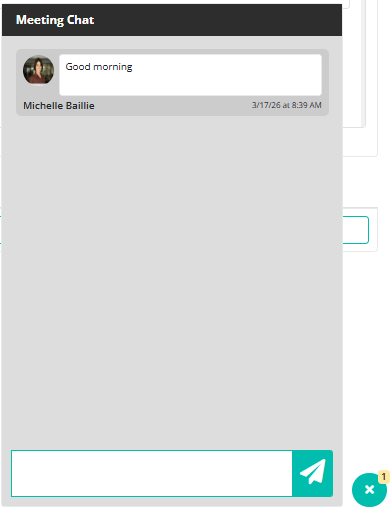
You can then type a message to the other meeting attendees. Everyone in the meeting can read and reply to messages in the chat.
Press Enter on your keyboard or click the green paper plane button to send your message.
A number displayed next to the speech bubble shows the total number of messages in the chat.
The chat is unique to each meeting, and messages are only visible to attendees in that meeting. You will not receive notifications outside of the meeting for messages sent in this chat.