
Receiving Your Welcome Email
Receiving Your Welcome Email
When your organization adds you to BoardCloud, you will receive a welcome email inviting you to set up your account.
The email will be sent to the address your organization registered for you.
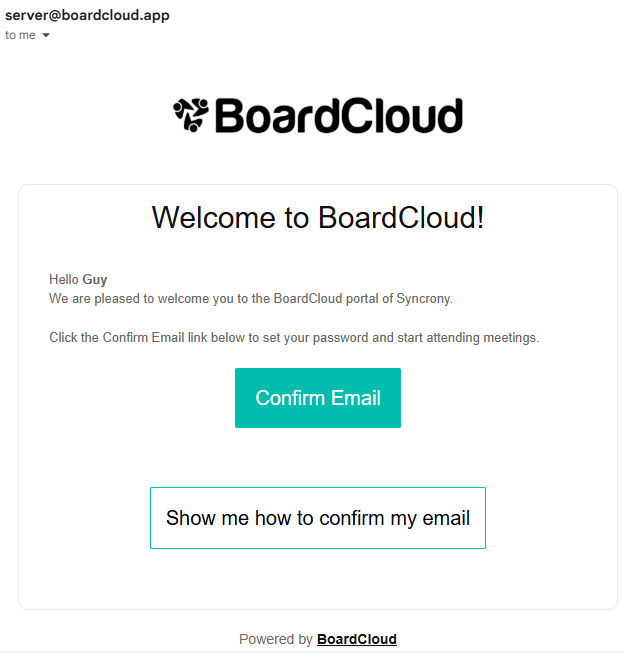
The Welcome Email Includes
Confirm Email — Opens the account setup page where you can create your password.
Show Me How to Confirm My Email — Opens a YouTube video guide showing the setup process.
Setting Up Your Account
- Open the welcome email.
- Click Confirm Email.
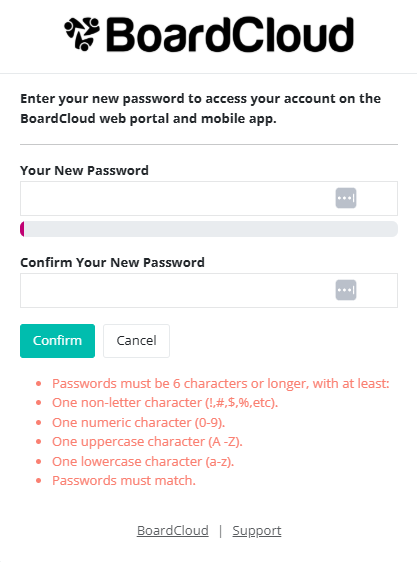
- Create and confirm your password.
- Log in to your BoardCloud portal using your email address and new password.
Important Notes
Please make sure:
- Your email address is entered correctly.
- Your password meets the required security criteria.
- Your password is entered correctly in both password fields.
If you do not receive the email within a few minutes, check your spam or junk folder.
If you still cannot find the email, contact your portal administrator or email support@boardcloud.com for assistance.