
Login Page
Login Page
Each organization has a unique BoardCloud portal URL, which is how members access their portal.
There is no universal login page. To log in, use the link provided for your organization, for example:
yourorganization.boardcloud.app
This ensures your portal is secure and private.
Login Page
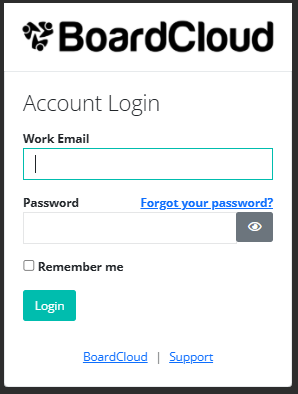
When accessing your BoardCloud portal, you will see the following:
- The URL of your company portal displayed at the top of the page.
- Your company logo.
- An email address field. Make sure you enter the email address used to set up your account
(this will most likely be your company email address). - A password field. Click the eye icon to view what you are typing.
You can tick the “Remember me” checkbox to save your login details on the device you are using.
However, we strongly recommend not selecting this option if your organization deals with sensitive information or if you are using a shared device.
Additional links on the login page:
Click on Forgot your password? if you have forgotten your password.
On the left-hand side, there is a link to the BoardCloud website (boardcloud.org).
On the right-hand side, the Support link will take you to a contact form where you can request assistance.
Alternatively, you can email us at support@boardcloud.com