
Preventing Overlap on the Agenda Page
Preventing Overlap on the Agenda Page
Sometimes, if a meeting title is too long, it can cause overlapping text on the agenda page of your board pack.
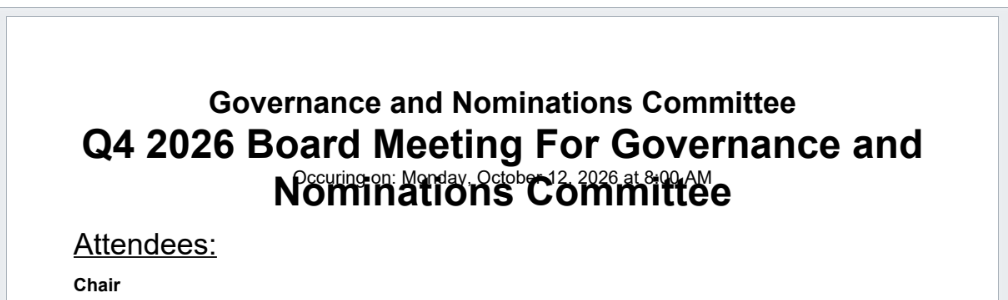
Often, meeting titles include information that is already added automatically through your settings. You can fix this by following these steps:
- Go to the meeting you want to edit.
- Click the gear icon in the top-right corner.
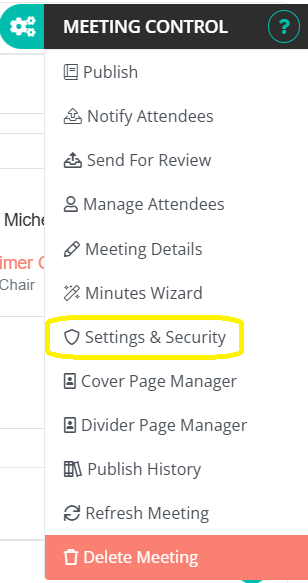
- Select Settings and Security.
- Go to the Index Page Settings tab (the middle tab).
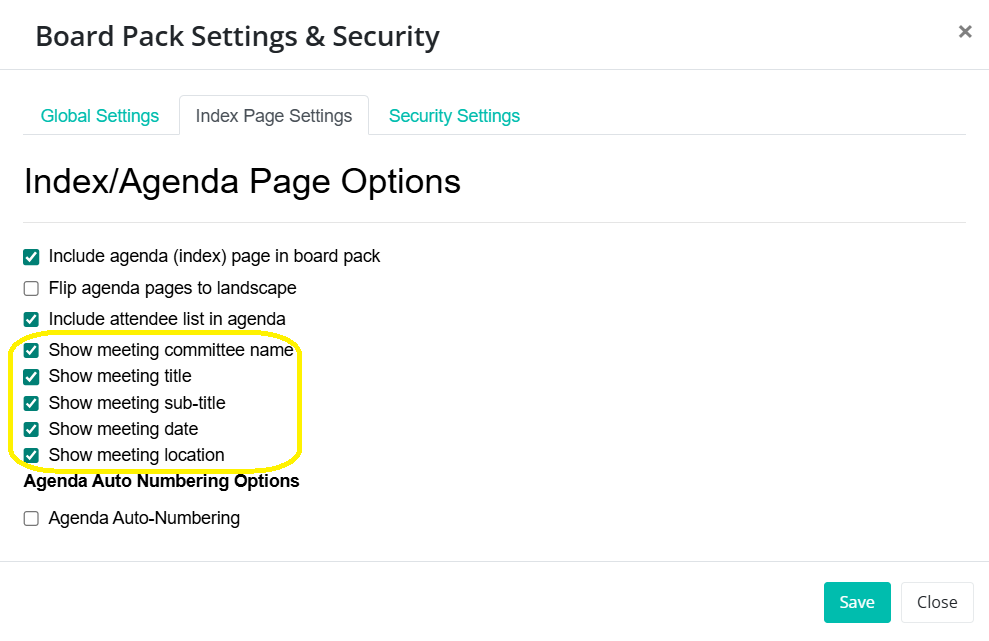
- Uncheck the following options:
- Meeting committee name
- Meeting date
- Meeting location
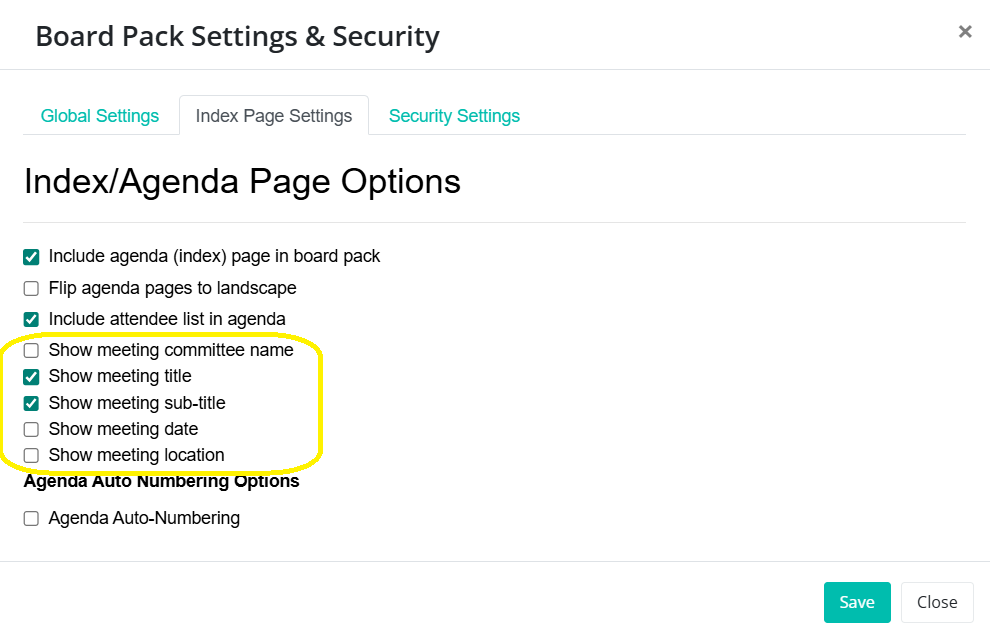
These details are already displayed on the cover page, so unchecking them prevents overlap on the agenda page.
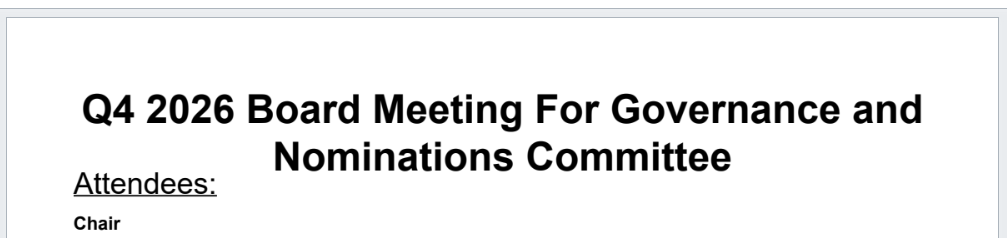
If any of these details are important to show on the agenda page, consider shortening the meeting title:
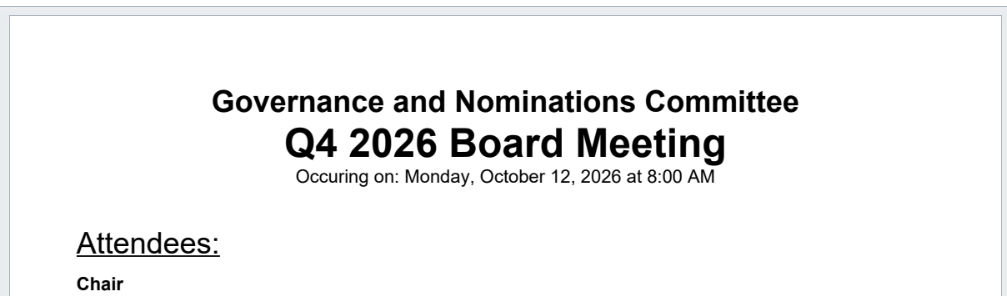
Note: This setting applies to each meeting individually.