
Searching for Meetings and Packs
Searching for Meetings and Packs
At the top-right of every page, next to the Log Out button, you will see a search bar. This allows you to quickly search through your meeting packs and meetings.
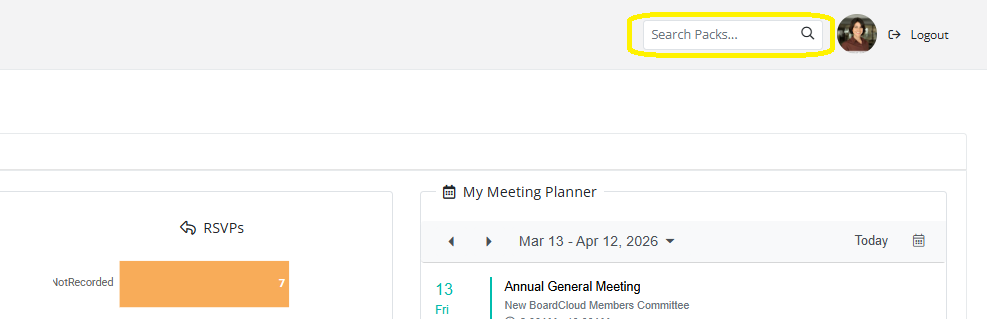
Enter a search term in the search bar.
Click the magnifying glass icon to run the search.
Advanced Search Options
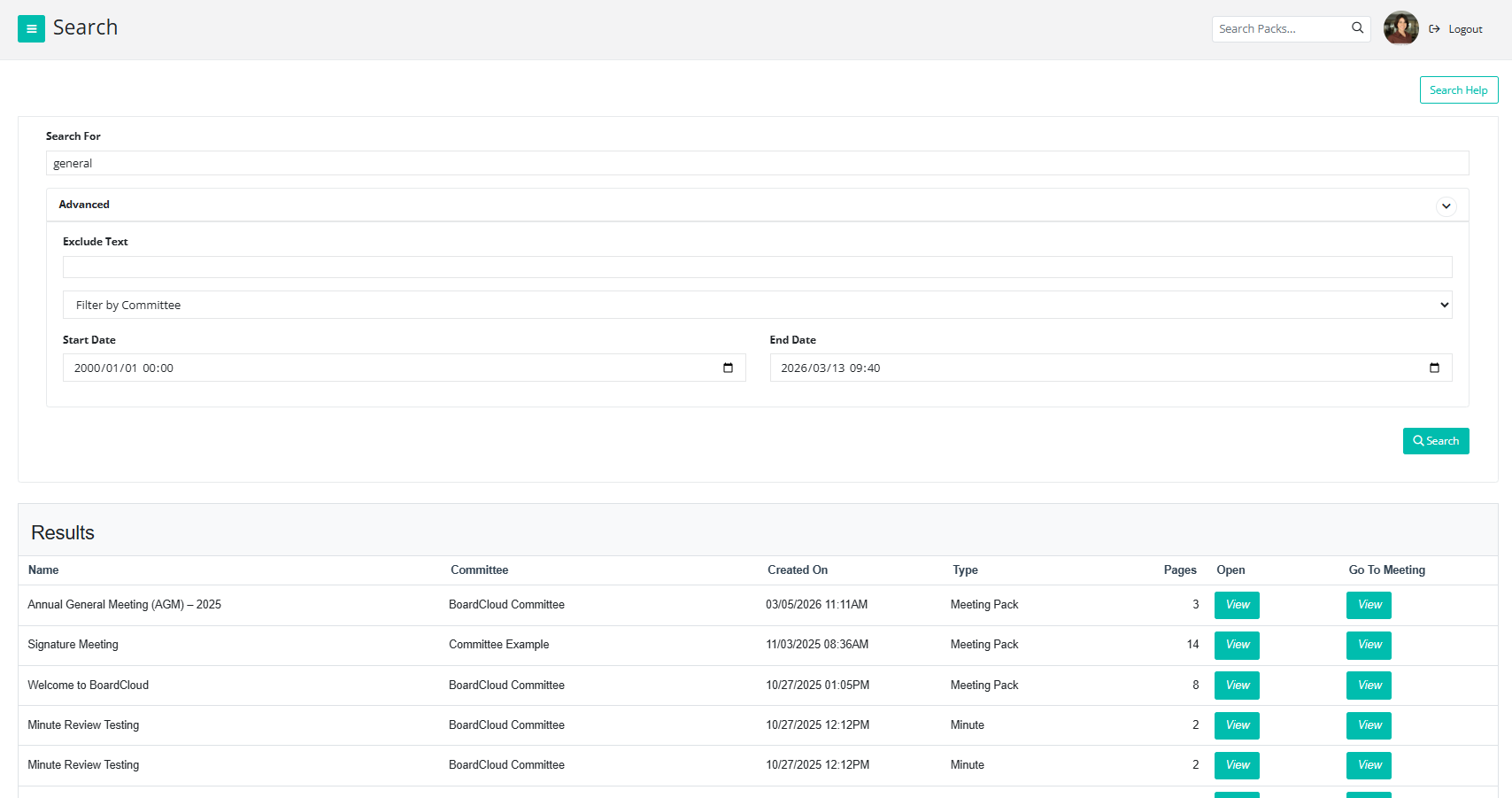
Click the arrow icon to expand the advanced search section. From here, you can:
- Exclude specific text from your search
- Filter results by committee
- Filter by start date and end date
This helps narrow down your results more effectively.
Search results will display at the bottom of the page. You will see details such as:
- Meeting name
- Committee name
- Meeting date
You will also see two options: - View under the Open column: This opens the BoardCloud Viewer to access the meeting pack.
- View under the Go To Meeting column: This takes you directly to the meeting page.
Please note: These will most likely be past meetings that are now closed. You can still view and annotate the board pack.