View Results of Form
Viewing the Results of a Form
To view the results of a form, click on the View Results button. It is on the far left. Shown outlined in yellow below.
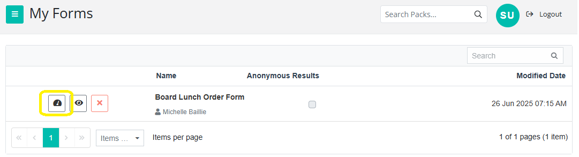
The Form Results will appear, displaying all the questions your members have answered.
You can then select each question to view the responses in a specific format that suits your needs.