
eResolutions
How to Review and Sign an eResolution
An eResolution allows your organization to circulate a document for electronic signatures without requiring everyone to sign a physical copy.
As a BoardCloud member, you may receive an email asking you to review and sign an eResolution.
How to Sign an eResolution
1. Open the eResolution email
Check your inbox for an email notifying you that an eResolution requires your attention.
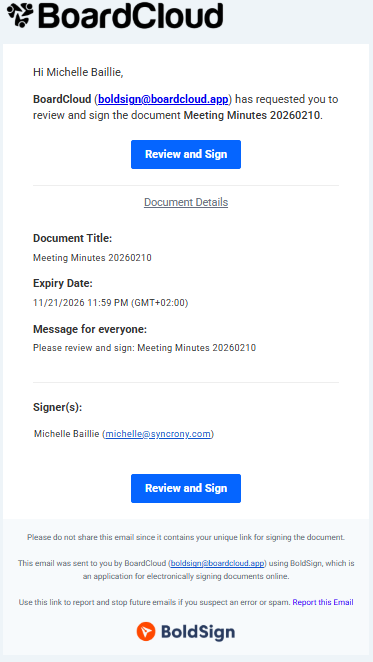
Open the email and follow the link provided to access the eResolution in BoardCloud.
2. Review the document
Open the document and read it carefully before signing.
Make sure you understand the resolution and what you are being asked to approve or acknowledge.
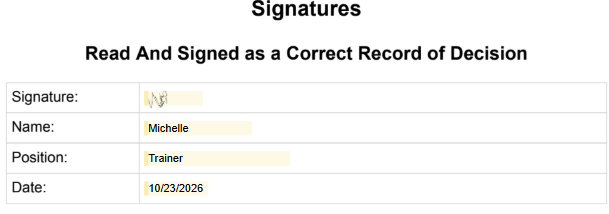
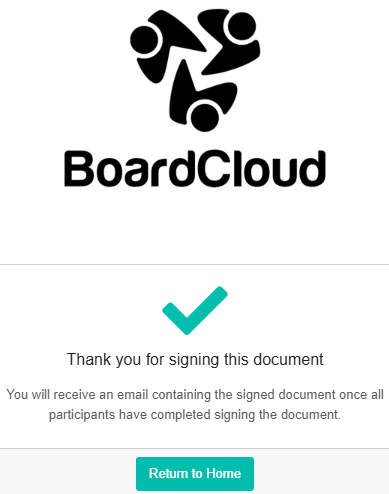
3. Sign the document
Follow the on-screen instructions to add your electronic signature.
Need Help?
If you cannot access the eResolution, cannot sign the document, or believe your signature has not been recorded, please contact your BoardCloud administrator or email support@boardcloud.app for assistance.