
Setting Up A Vote



Overview: Voting in BoardCloud
The following will explain how voting works in BoardCloud.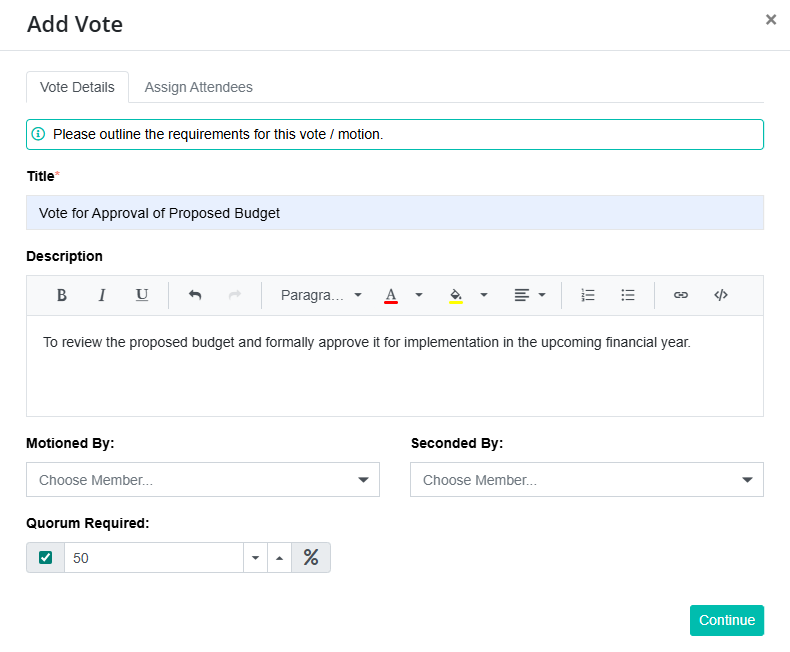
BoardCloud supports voting by agenda section in any board pack. Each meeting can have multiple vote questions. Voting is implemented as a single question answered in Yes / No / Abstain fashion.
Members can vote as long as the meeting is open and published and the vote itself is opened. Voting can be cast before or during the meeting, allowing flexibility for early voting. If you prefer voting to occur only once the meeting has started, the vote can be kept locked until then.
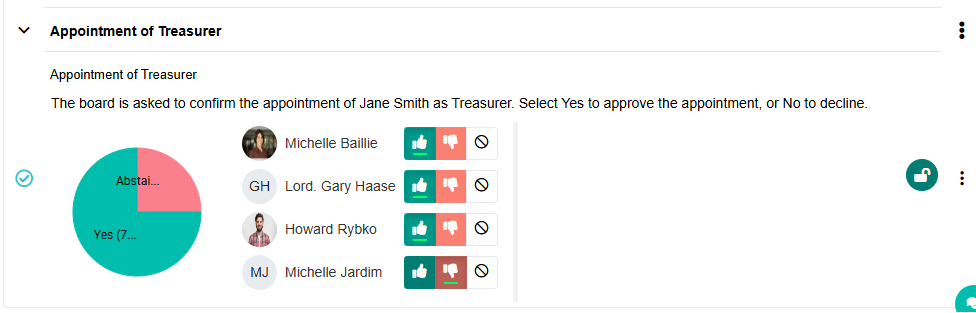
All votes have the option to record:
- Motioned by member
- Seconded by member
These fields can be left blank if desired. Votes are linked to the agenda and synchronized into the meeting minutes, maintaining transparency while keeping individual responses anonymous.