
Managing and Editing Forms
Managing and Editing Forms
Forms can be reused, updated, and managed over time to support recurring processes such as annual declarations and regular surveys.
Editing a form works the same way as creating a new one, except you begin with existing elements already on the form instead of starting from scratch.
Just click the pencil icon next to the name of the form you want to edit.
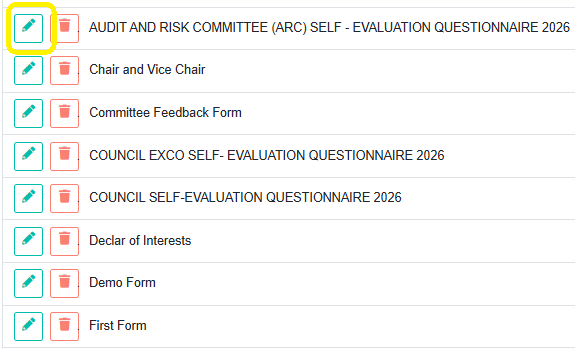
You can update a form at any time to:
- Add or remove questions
- Adjust wording or structure
- Improve clarity based on feedback
Changes made after sending a form will not apply to the original form that was sent.
Related Forms
BoardCloud allows forms to be connected to meetings, committees, or used independently as standalone forms. The relationship type controls visibility, access, and where forms appear throughout the system. Learn more about that here.
Duplicating a form
For recurring processes, you can reuse an existing form rather than creating a new one from scratch. This helps maintain consistency and saves time when managing annual declarations, surveys, or recurring governance workflows.
Copying form JSON (advanced)
Advanced users also have the option to copy the JSON configuration of a form and paste it into a new form.
This method is useful when:
- Recreating complex forms
- Moving form structures between environments
- Making large-scale adjustments more efficiently
Because this process directly affects the form structure and configuration, it is recommended only for users who are confident working with JSON formatting.
If you are unsure or require assistance, please contact the BoardCloud support team and we will gladly assist you.