
Committee Task Register
Committee Task Register
Committee Tasks allow you to create and manage tasks that are assigned to a specific committee or board.
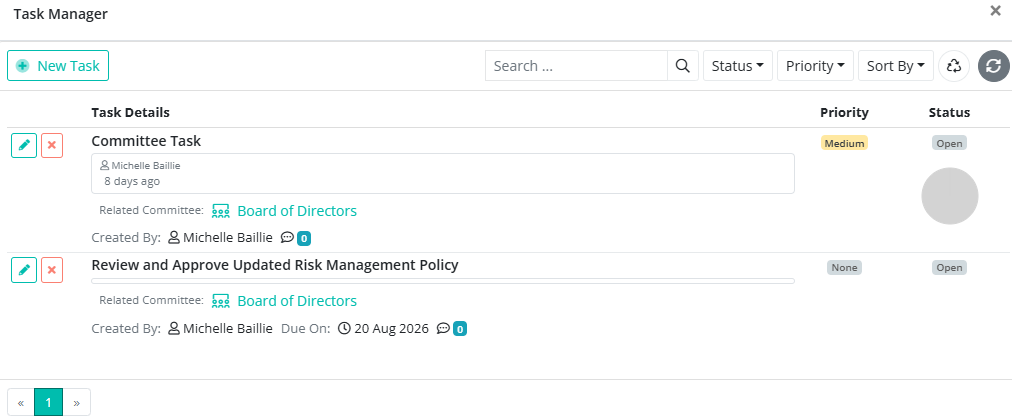
Tasks can arise from discussions during a committee meeting or between meetings. These tasks represent responsibilities and commitments that require further action or follow-up.
Creating a Committee Task
To create a task for a committee:
1. Open the relevant Committee via the Committee Dashboard.
2. Select Task Register from the committee menu.
3. Click + New Task.
4. Enter the details of the task.
5. Assign the task to the relevant member.
6. Set a due date, if required.
7. You can choose whether or not to send a task notification via email.
8. Click Finish.
The task will be associated with the committee and will be visible to the members who have access to it.
Managing Committee Tasks
Committee members can view tasks assigned to them and update the status of their tasks.
Administrators can view and manage tasks assigned to committee members.
Committee Tasks can be used to keep track of actions and follow-up items between meetings, helping ensure that responsibilities are clearly assigned and completed.
Task Details
A committee task can include:
Task Name – The name or description of the task.
Assigned To – The committee member responsible for completing the task.
Due Date – The date by which the task should be completed.
Status – The current status of the task.
Committee Tasks remain linked to the committee, making it easy to keep track of outstanding actions and responsibilities.