
Committee Form Register
Committee Form Register
The Committee Form Register allows you to access and manage forms that have been added to a specific committee. It works in the same way as the standard Forms Register, but only displays forms associated with that committee.
Accessing the Committee Form Register
To access the Committee Form Register:
1. Open the relevant committee via the Committee Dashboard.
2. Select Form Register from the committee menu.
3. The Committee Form Register will display the forms available to that committee.
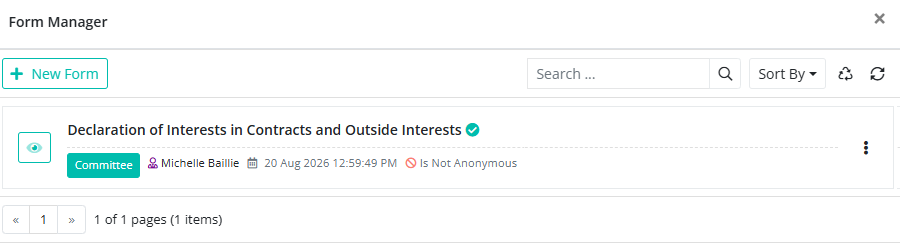
From the register, you can select a form to open it, complete it, or view submitted responses, depending on your permissions.
Adding a Form
To add an existing form to the Committee Form Register, click +New Form.
Select the form you want to add from the list of forms available in your BoardCloud account.
Note: The +New Form button is used to select a form that has already been created. To create a new form, go to Admin > Settings > Form Maker.
Once a form has been added to the Committee Form Register, it will be available to the committee members who have access to it.