Edit a Meeting
The Edit Meeting function is designed to change or update meeting details for an already created meeting.
The Edit Meeting form is accessed via the Meeting Control 'Cogs' menu:
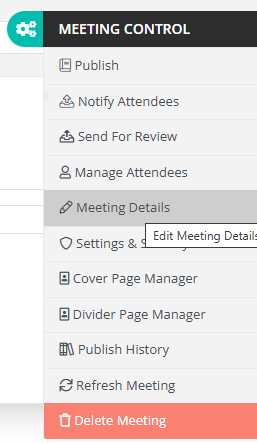
Once the Meeting Details nav button is clicked, the Meeting Details pop up will open. This pop up allows for certain meeting details to be edited.
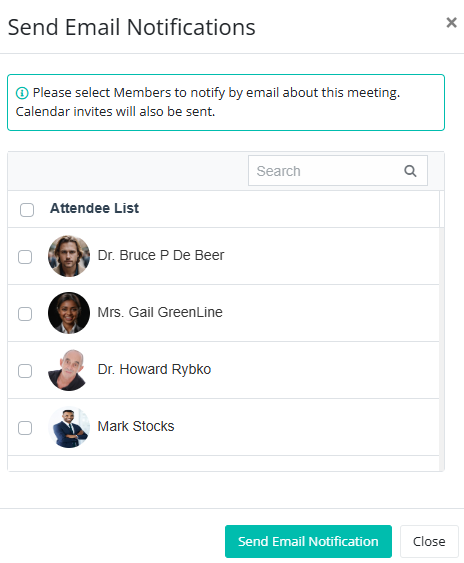
Note: If any meeting details, such as the meeting date or time, are changed, you’ll be prompted to send an updated meeting invite to all attendees. This email will include the revised meeting information to ensure everyone stays informed.
Editing Meeting Details
The edit meeting details pop up look similar to the below image:
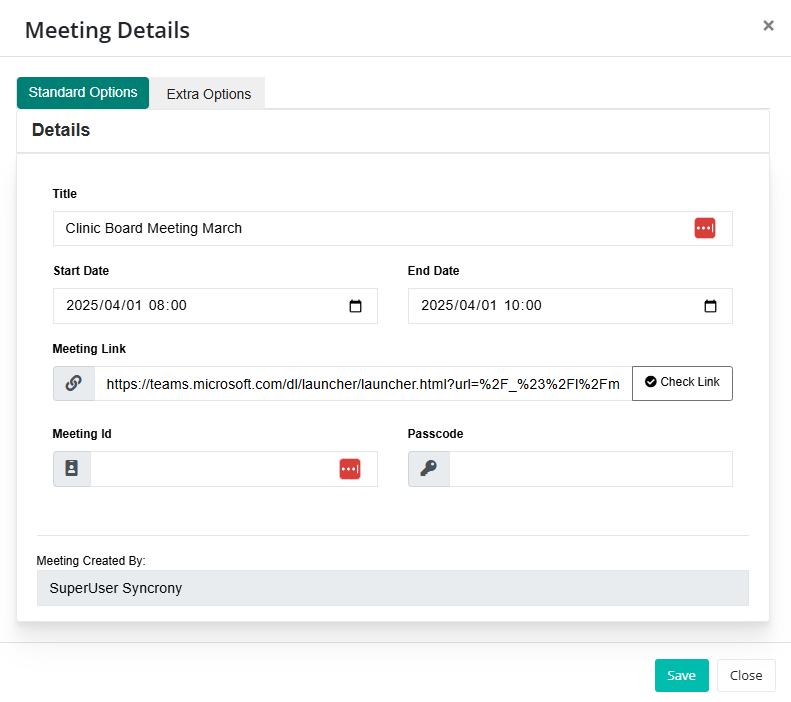
Details that, when changed, will trigger an optional update meeting details email include:
- Meeting Title
- Meeting Start and End dates
- Meeting Link
- Meeting password
The update email popup will appear once any detail changes have been saved. The pop up will look similar to this: