
Upcoming & Past Meetings
Part of the committee panel is a link to a dialog that will show all upcoming and past meetings. This can be seen from the image below:
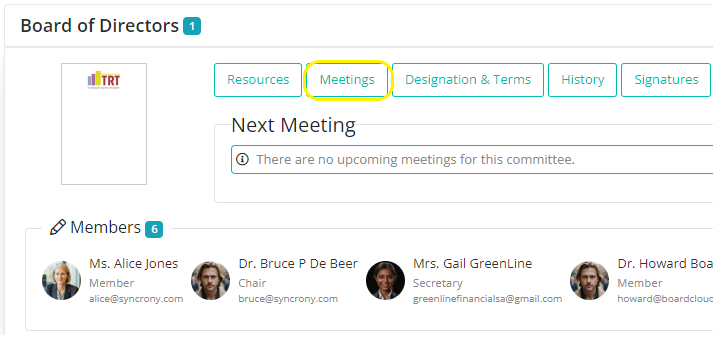
Clicking on the Meetings link will open a popup dialog that will show all meetings on record for a specific committee - both past and future.
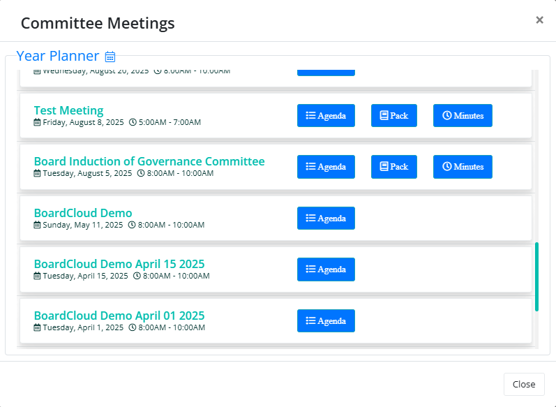
Meetings are listed by date starting from the newest (upcoming) to past meetings. Note: it is possible to archive past meetings if your meetings list grows too long.
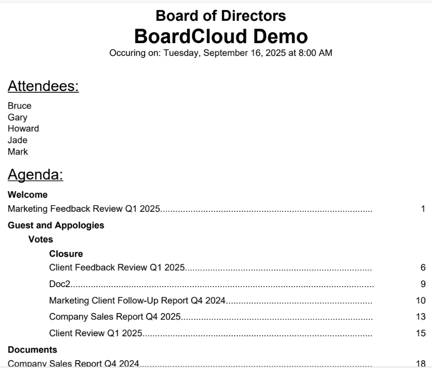
Clicking on the blue Agenda button will open the Agenda Viewer, which displays the agenda in a one page document-style format. This view includes the meeting name, committee, date, attendees, and the full agenda, making it easy to review all key meeting details in one place.
This Committee Meetings panel also provides access to:
- Board Packs: the complete meeting pack for each meeting.
- Past Meeting Minutes: official records of what was discussed and decided.
In addition, there’s a link to the Year Planner, which displays past and upcoming meetings on a calendar for the full year.
This makes it easy to:
- Track and prepare for upcoming meetings.
- Revisit discussions, decisions, and signed documents from previous meetings.
- Access board packs and minutes without searching through emails.
- See the year’s meetings at a glance on the calendar.